The M4 iPad Pro is one of Apple’s most impressive hardware designs in years. The 13-inch model is only 5.1mm thin, making it one of the thinnest products Apple has ever released. It feels futuristic, premium, and surprisingly powerful for a device that includes an OLED display, M-series chip, battery, speakers, cameras, magnets, and an aluminum body.
But that extreme thinness has also revived a familiar question: is the M4 iPad Pro too thin for everyday use?
For most buyers, the real concern is not a dramatic bend test. The concern is daily pressure: backpacks, laptops, chargers, books, camera gear, travel bags, tight sleeves, and months of regular handling. That is where “bend anxiety” comes from.
Why the 5.1mm M4 iPad Pro Creates Bend Anxiety
The 13-inch M4 iPad Pro is not just thin. It is thin across a large surface area. A bigger tablet gives pressure more leverage when it is twisted, squeezed, or pressed from the wrong angle.
This creates a simple contradiction:
- People love the M4 iPad Pro because it is thin, light, and elegant.
- People worry about it because it is thin, light, and expensive.
That is why many users immediately start searching for protective cases, hard-shell sleeves, stable stands, and better ways to carry the device safely.
The 2018 iPad Pro Bendgate Memory Still Matters
The concern also comes from history. Many Apple users still remember the 2018 iPad Pro “bendgate” discussion. Even though the M4 iPad Pro is a newer generation with a different internal structure, the memory remains.
When Apple releases a 13-inch tablet that is only 5.1mm thick, users naturally connect it to older questions like:
- M4 iPad Pro bend test
- Is the new iPad Pro too thin?
- M4 iPad Pro vs 2018 bendgate
- Best case to prevent iPad Pro bending
The better question is not simply “Will it bend?” A more useful question is: what daily-use situations create pressure, and what protection actually helps?
Do Bend Tests Mean the M4 iPad Pro Is Weak?
Not necessarily. Early bend-test coverage suggests the M4 iPad Pro performs better than many people expected for such a thin device. Apple appears to have improved the structure compared with older generations.
However, bend tests are not the same as real life. Most owners will never intentionally bend their iPad with both hands. The more realistic risks are:
- Backpack pressure from a laptop, books, or charger brick
- Twisting force when pulling the iPad out of a tight sleeve
- Pressure near the USB-C port area
- Uneven force from cheap clamp-style stands
- Long-term stress from carrying the iPad without protection
So the balanced conclusion is clear: the M4 iPad Pro is not automatically fragile, but its ultra-thin design deserves smarter protection.
Why Thin Tablets Feel More Fragile Than Phones
Many users compare the iPad Pro to an iPhone, but tablets and phones face different physical stress. An iPhone is smaller and easier to protect with a rigid case. A 13-inch tablet has a much wider body, so pressure across the surface can create more leverage.
This does not mean the M4 iPad Pro is badly designed. It means Apple is pushing the physical limits of premium tablet design. As devices become thinner, the surrounding accessory system becomes more important.


Who Should Worry Most About M4 iPad Pro Bending?
Not every user needs to worry. If your iPad Pro mostly stays on a desk or inside a keyboard case, the risk is relatively low. But some users should be more careful.
Students and commuters
If your iPad Pro goes into a backpack every day, it may be pressed against books, a laptop, charger, or other hard objects. This is one of the most common real-world bending scenarios.
Frequent travelers
Travel bags are unpredictable. Overhead bins, tight luggage, airport security trays, and packed backpacks can create uneven pressure. A soft sleeve may protect against scratches, but it does not always protect against bending force.
Creative professionals
Designers, photographers, editors, and illustrators often carry an iPad Pro with cameras, lenses, SSDs, power banks, and adapters. These objects can create hard pressure points inside a bag.
What Kind of Protection Actually Helps?
Not all cases solve bend anxiety. A soft TPU case may protect corners from scratches and light drops, but it does not add much structural support. For an ultra-thin tablet, users should think about pressure distribution, edge protection, and safer daily handling.
The most useful protection setup may include:
- A protective case for daily scratches and bumps
- A hard-shell sleeve for backpack and travel pressure
- A keyboard case for front-and-back coverage
- A stable magnetic stand for desk use
- A separate pouch for chargers, cables, and power banks
The best accessory is not simply the thickest one. It should protect the device without ruining the thin, premium feel that makes the M4 iPad Pro attractive in the first place.
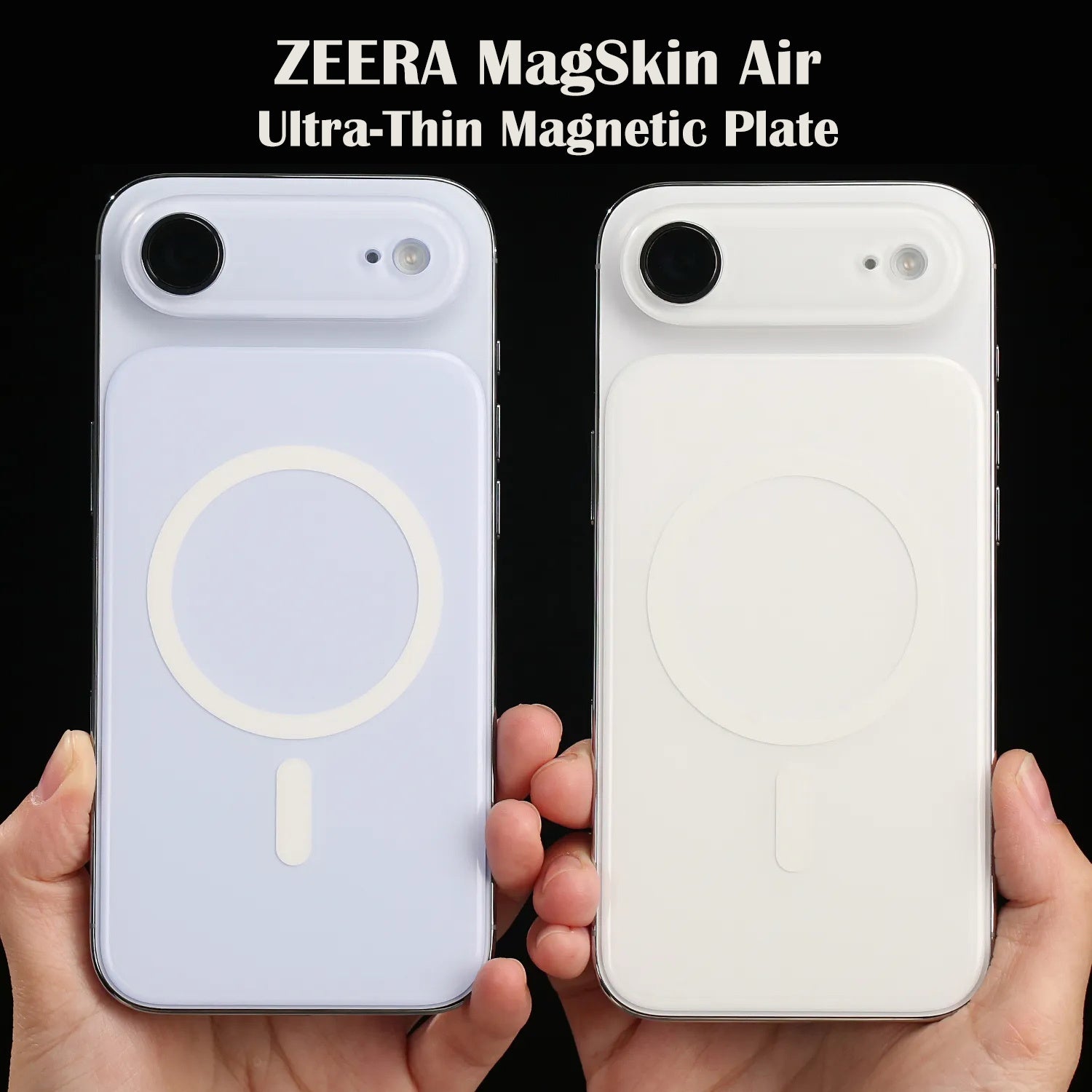
iPhone Air Ultra-Thin MagSafe Back Plate
ZEERA MagSkin Air Ultra-Thin Magnetic Plate
- 0.3mm thin
- MagSafe ready
- Air feel
- Light guard
- Slim carry

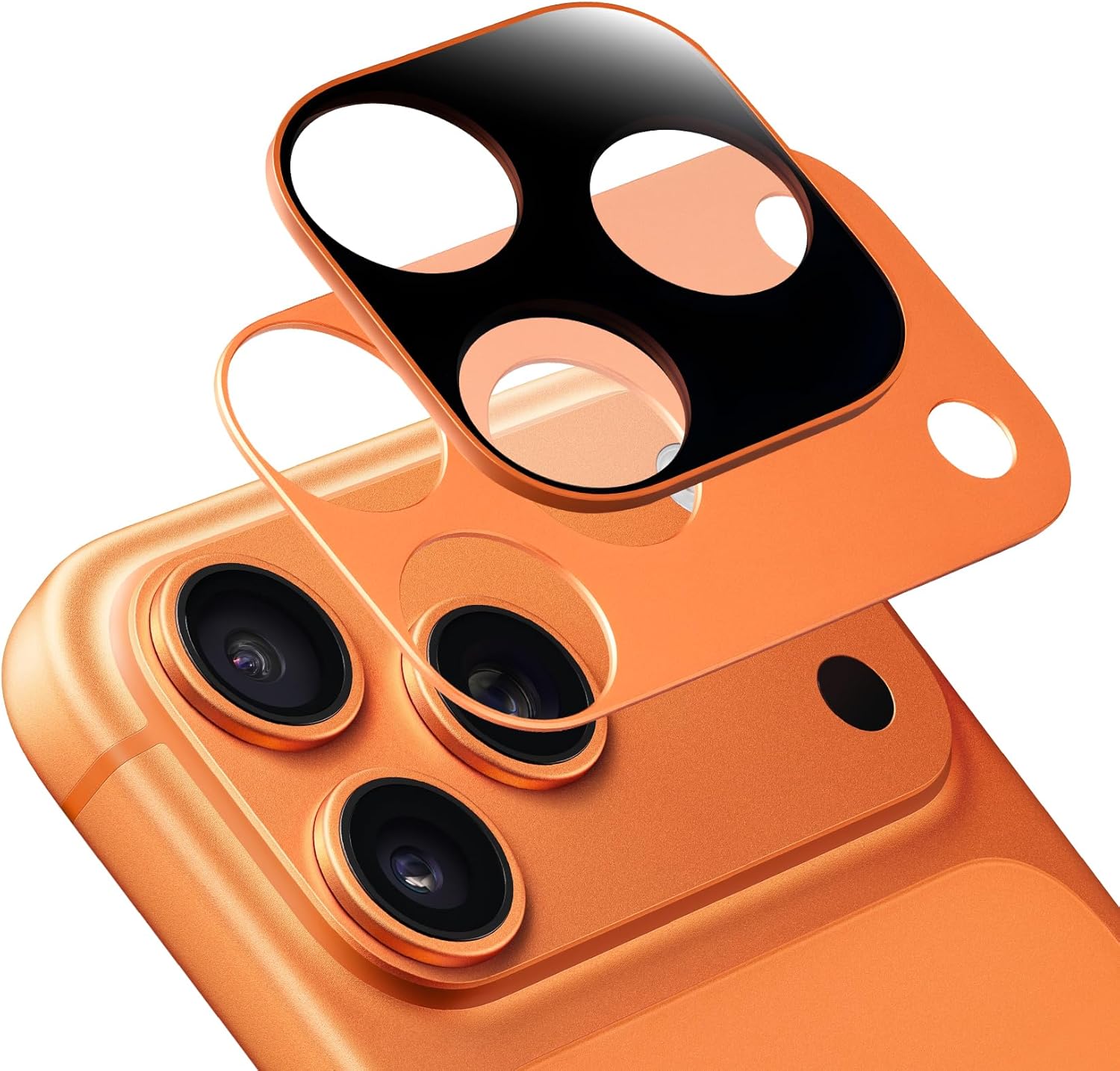
ZEERA AirFlat Pro Lens Cover for iPhone Air
- Flat back
- No wobble
- Lens guard
- Slim look
- Clean design

Rigid Case vs Hard-Shell Sleeve: Which Is Better?
| Protection Type | Best For | Main Benefit | Limitation |
|---|---|---|---|
| Protective case | Daily use | Protects against scratches, bumps, and handling damage | May not fully protect against heavy backpack pressure |
| Hard-shell sleeve | Travel and backpacks | Helps resist pressure from other objects | Does not protect while the iPad is outside the sleeve |
| Keyboard case | Desk and productivity use | Adds front and back coverage | Can be heavier and more expensive |
| Soft sleeve | Scratch protection | Lightweight and simple | Weak against bending pressure |
| Magnetic stand | Workstation use | Improves ergonomics and reduces handling | Not a carrying solution |
If your main concern is backpack pressure, a hard-shell sleeve is more useful than a soft sleeve. If your concern is daily handling, a protective case or keyboard-style cover may be better. If you mainly use the iPad Pro as a second display or desktop device, a stable stand can reduce unnecessary stress.
Why Magnetic Stands Could Become More Important
As tablets get thinner, traditional clamp-style stands become less ideal. A clamp applies pressure to a small part of the frame, which can create unnecessary stress if the pressure is uneven.
A better approach is a strong magnetic layout that distributes holding force across a larger area. This allows the iPad Pro to sit in a clean desktop setup without squeezing one edge of the body.
For future accessory design, the best iPad Pro stand is not just a stand. It is part of the protection system.
ZEERA Mac Aluminum Case Series
ZEERA MacForge CNC Mac Studio Aluminum Case
- CNC aluminum
- Mac Pro style
- Cooling grille
- Tool-free fit
- Studio guard

ZEERA MacForge Gen3 CNC Aluminum Mac Mini Case
- Mac Pro grille
- CNC chassis
- Better airflow
- SSD expansion
- Front ports

How to Carry the M4 iPad Pro Safely
You do not need to treat the M4 iPad Pro like glass, but you should avoid the most common pressure mistakes.
- Do not place charger bricks or hard accessories directly against the iPad. Use a separate pouch for cables, power banks, and adapters.
- Do not overpack your backpack. Compression is one of the biggest risks for large thin tablets.
- Use a hard-shell sleeve when traveling. A soft sleeve is better than nothing, but a hard-shell sleeve offers better pressure resistance.
- Keep the iPad beside the laptop, not between heavy objects. Avoid sandwiching the iPad between books or devices.
- Avoid twisting when removing it from a tight bag. Pull it out evenly instead of grabbing one corner.
- Use a stable stand at your desk. Reducing unnecessary handling also reduces accidental stress.
Is the M4 iPad Pro Too Thin?
The answer depends on how you use it.
From an engineering perspective, the M4 iPad Pro is an impressive achievement. Apple created a large OLED tablet with desktop-class performance in an incredibly thin body. Early durability coverage suggests that it is stronger than its 5.1mm profile might suggest.
But from a user perspective, the anxiety is understandable. A thin 13-inch tablet feels more vulnerable than a thicker device, especially when it costs as much as a laptop and often travels inside bags full of other objects.
So the better question is not “Will the M4 iPad Pro bend?” The better question is:
Are you using protection that matches how thin and expensive this device is?
Final Verdict: The M4 iPad Pro Is Strong, But It Needs Smarter Protection
The M4 iPad Pro is not a device users should fear. But it is a device users should protect intelligently.
The 5.1mm design is part of what makes it beautiful. It is also part of what makes users cautious. That caution creates a real accessory opportunity: lightweight, practical, pressure-aware protection designed for ultra-thin Apple devices.
For casual desk users, a keyboard case or stable magnetic stand may be enough. For students, commuters, and travelers, a protective case plus a hard-shell sleeve is a smarter choice. For professionals carrying expensive gear, soft protection alone is not ideal.
The M4 iPad Pro proves that Apple can push thinness further than expected. Now the accessory market needs to catch up with protection that feels just as premium as the device itself.
FAQ: M4 iPad Pro Bend Anxiety
Does the M4 iPad Pro bend easily?
Early bend-test coverage suggests the M4 iPad Pro is stronger than many users expected, especially considering its 5.1mm thickness. However, extreme force or uneven pressure can still be risky during travel or backpack use.
Is the 13-inch M4 iPad Pro more vulnerable than the 11-inch model?
The 13-inch model has a larger surface area, which can make users more concerned about flex under pressure. The 11-inch model is smaller and slightly thicker, so it may feel less fragile in hand.
What is the best way to protect the M4 iPad Pro from bending?
Use a protective case, hard-shell sleeve, keyboard case, or stable stand. The goal is to reduce scratches, bumps, twisting, and pressure concentration during daily use.
Is a soft sleeve enough for the M4 iPad Pro?
A soft sleeve can protect against scratches, but it is not the best option against bending pressure. If you carry the iPad Pro in a backpack, a hard-shell sleeve is safer.
Should I avoid buying the M4 iPad Pro because it is too thin?
No. The M4 iPad Pro is a premium device with impressive engineering. The better approach is to choose protection based on your lifestyle, especially if you commute, travel, or carry the iPad with other heavy objects.